Best Practices
CEIPAL Call Log Feature – Purpose, Process & Best Practices.
Call Log feature in CEIPAL, which has been implemented as part of our new initiative by the Audit & Compliance Team.
The goal of this feature is simple — to ensure every recruiter-candidate interaction is documented properly in CEIPAL for better visibility, transparency and audit compliance.
1. Objective of the Initiative
- • To standardize how recruiters record their candidate communication.
- • To increase transparency across all departments — Quality, Leads and Management.
- • Prepare Questions: Use CEIPAL Job Description Notes to ensure all essential questions are covered.
- • To ensure traceability of every step in the recruitment process.
- • To support Audit & KPI Compliance and Client submission validation.
2. Why It’s Important
- • Helps maintain a clear history of all conversations with candidates.
- • Ensures no information is missed or duplicated.
- • Makes reporting and audits smoother.
- • Builds accountability for every recruiter interaction.
- • Helps in candidate experience tracking and performance evaluation.
3. Scope of Usage
The Call Log feature must be used by:
- • Recruitment Teams
- • US Operations Team
- • Onboarding Team
- • Quality & Training Teams
- • All Departments involved in candidate interaction
It applies to all types of calls, including:
- • Initial connect or screening
- • Interview coordination
- • Feedback or status follow-up
- • Submission/RTR discussions
- • Offer/Onboarding discussions
5. Step-by-Step Process
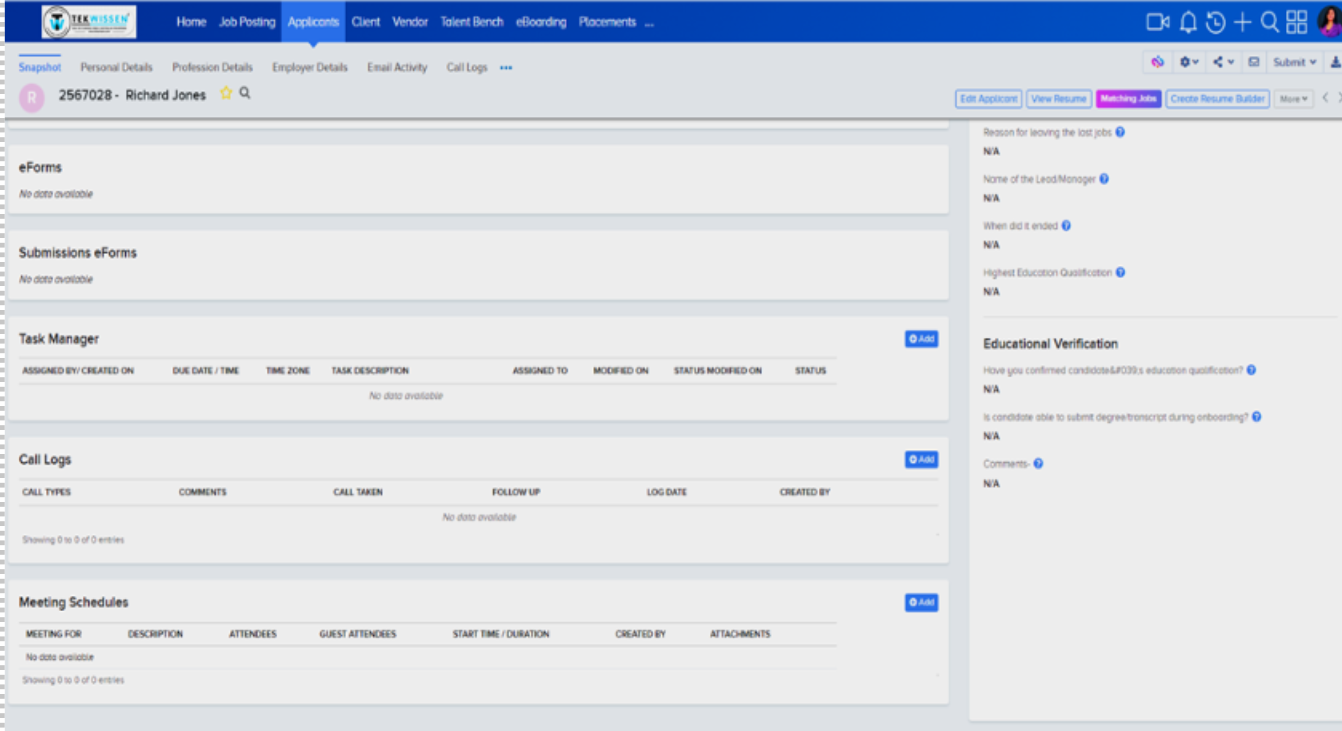
Step 1: Accessing the Call Log
- • Open the candidate’s profile in CEIPAL.
- • Click on “Call Logs” → “Add” to create a new log.
Step 2: Enter Call Details
- • Add key details such as candidate name, position and purpose of the call.
- • Click on “Call Logs” → “Add” to create a new log.
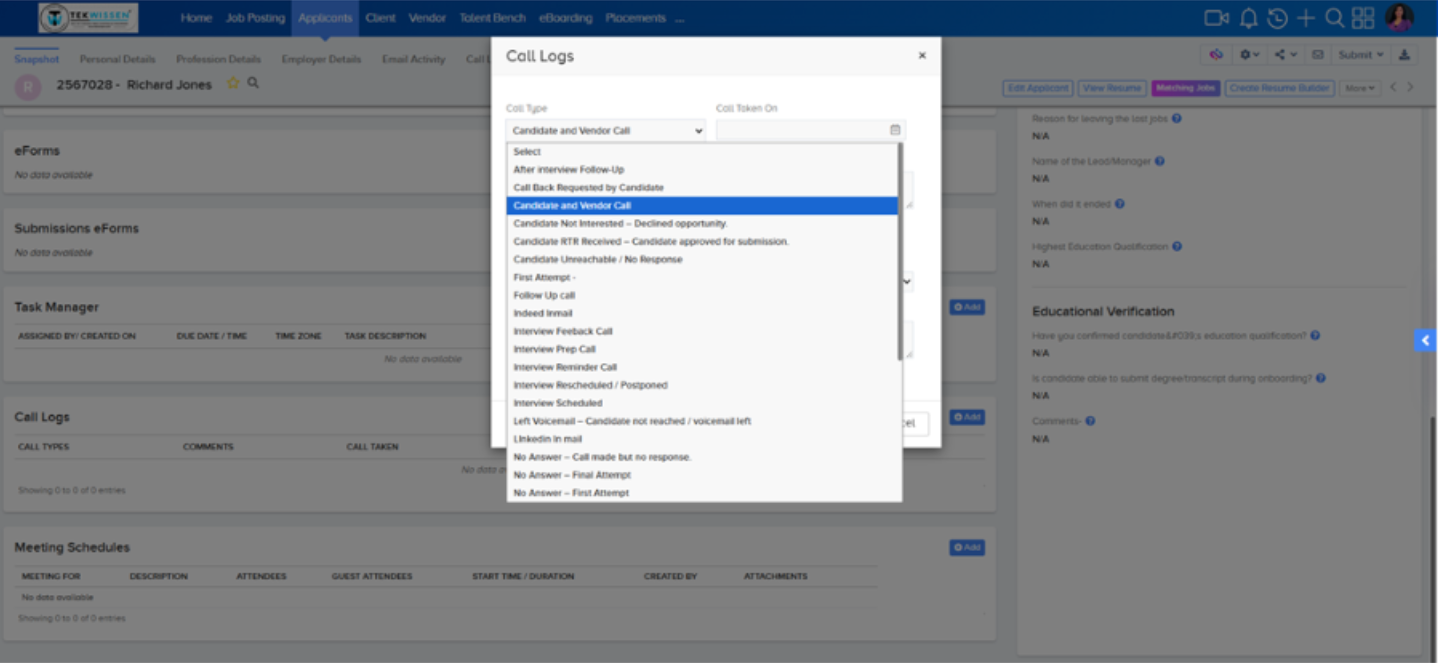
Step 3: Select Call Type
- • Choose from dropdown (e.g., Initial Connect, Interview Coordination, etc.)
- • Enter the Date/Time when the call occurred.
Step 4: Add Comments
Include:
- • Candidate interest or availability.
- • Brief summary of the discussion.
- • Next action or follow-up.
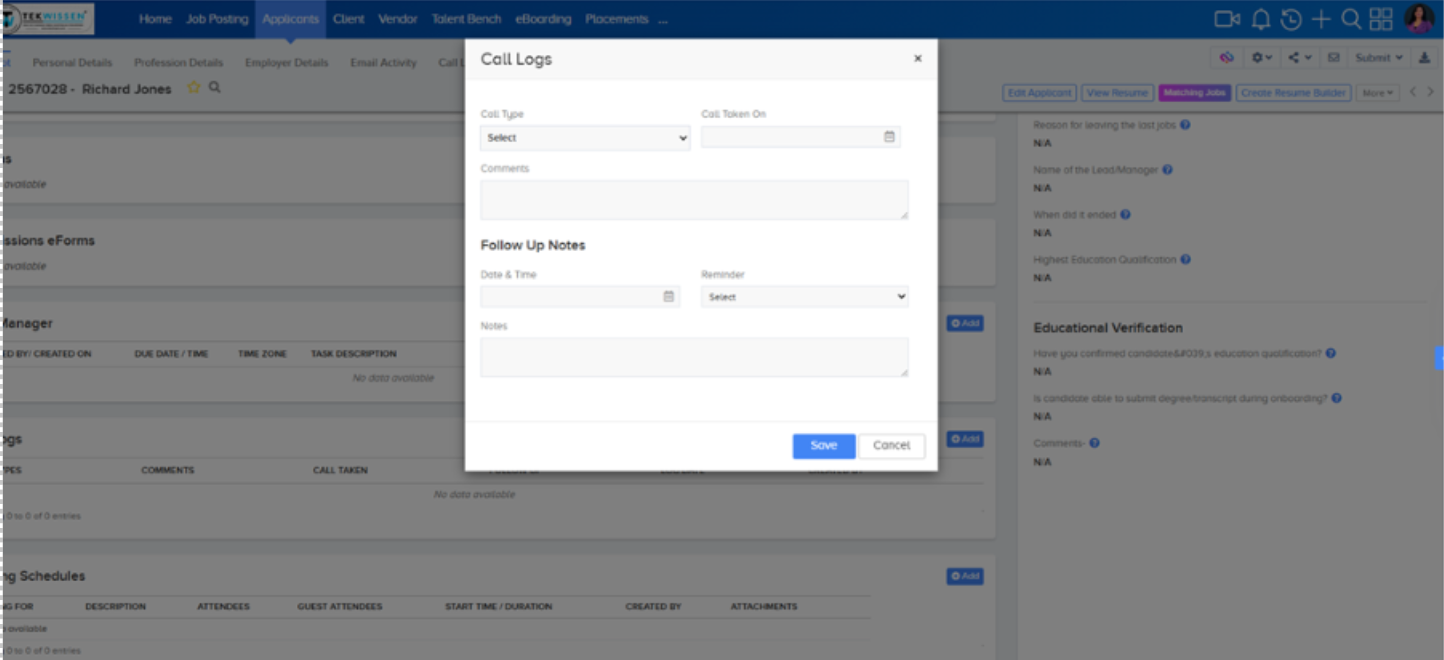
Step 5: Add Follow-Up Notes
- • Enter next planned contact date/time.
- • Select “Set Reminder” if needed.
- • Add notes describing next steps or pending actions.
- • Click Save once done.
6. Example Entry
| Field |
Example Input |
| Call Type |
Initial Connect |
| Date/Time |
08-Nov-2025, 3:15 PM EST |
| Comments |
Spoke with John Doe for Java Developer role. Candidate is actively looking
and open to relocation. Will share updated resume by EOD.
|
Next Follow-Up
Date/Time |
09-Nov-2025, 11:00 AM EST |
| Follow-Up Notes |
Follow up for resume and confirm submission interest for JPC - XXXXX.
Reminder set for tomorrow.
|
7. Best Practices
- • Update the call log immediately after every candidate interaction.
- • Ensure comments are detailed yet concise.
- • Always mention the next action or follow-up plan.
- • Avoid using informal language — maintain a professional tone.
- • Never leave fields blank — incomplete data affects audit validation.
8. Common Mistakes to Avoid
- • Forgetting to update after calls.
- • Writing vague comments like “Spoke to candidate.”
- • Missing follow-up details.
- • Not setting reminders for next steps.
Understanding a candidate thoroughly during the first conversation is one of the most crucial recruitment skills. This month, our primary quality observation focused on how recruiters gauge candidates, what information they gather and how accurately they present it.